

Create an Account
Getting started with Pecunity takes less than a minute. You don't need a crypto wallet, private keys, or any prior Web3 experience.
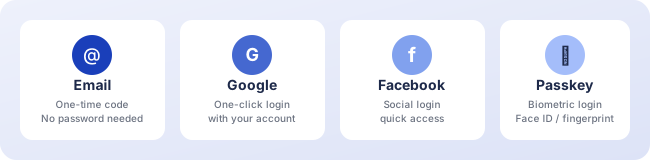
Sign-in options
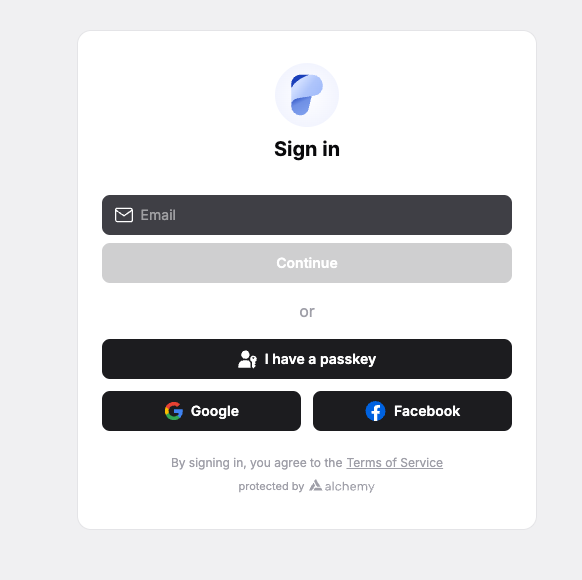
You can create your account using any of the following methods:
Enter your email address and verify it with a one-time code (OTP). No password needed.
Sign in with your existing Google account in one click.
Use your Facebook account for quick access.
Create a passkey for secure, passwordless logins using your device's biometrics (Face ID, fingerprint, or PIN).
What happens behind the scenes
When you sign in for the first time, Pecunity automatically creates a smart contract account for you on the blockchain. This smart account gives you several advantages over traditional wallets:
- Sponsored transactions — you don't need to hold BNB or any other native token to pay for gas fees. Pecunity covers them for you.
- Batch transactions — multiple actions can be grouped into a single transaction, saving time and cost.
- Account recovery — unlike traditional wallets where losing your seed phrase means losing everything, your account is tied to your login method.
Security
Your account is protected by default. For additional security, you can:
- Enable Multi-Factor Authentication (MFA) for an extra verification step on login
- Add a passkey as a secondary login method
- Transfer your account to a different owner if needed
Next steps
Once your account is created, you are ready to explore your portfolio dashboard and make your first deposit.